Reviewing and Submitting
Review your answers, build the planning model, and decide whether to upgrade.
The Review Step
Step 4 of 4 is your chance to check the whole picture before the model is built.
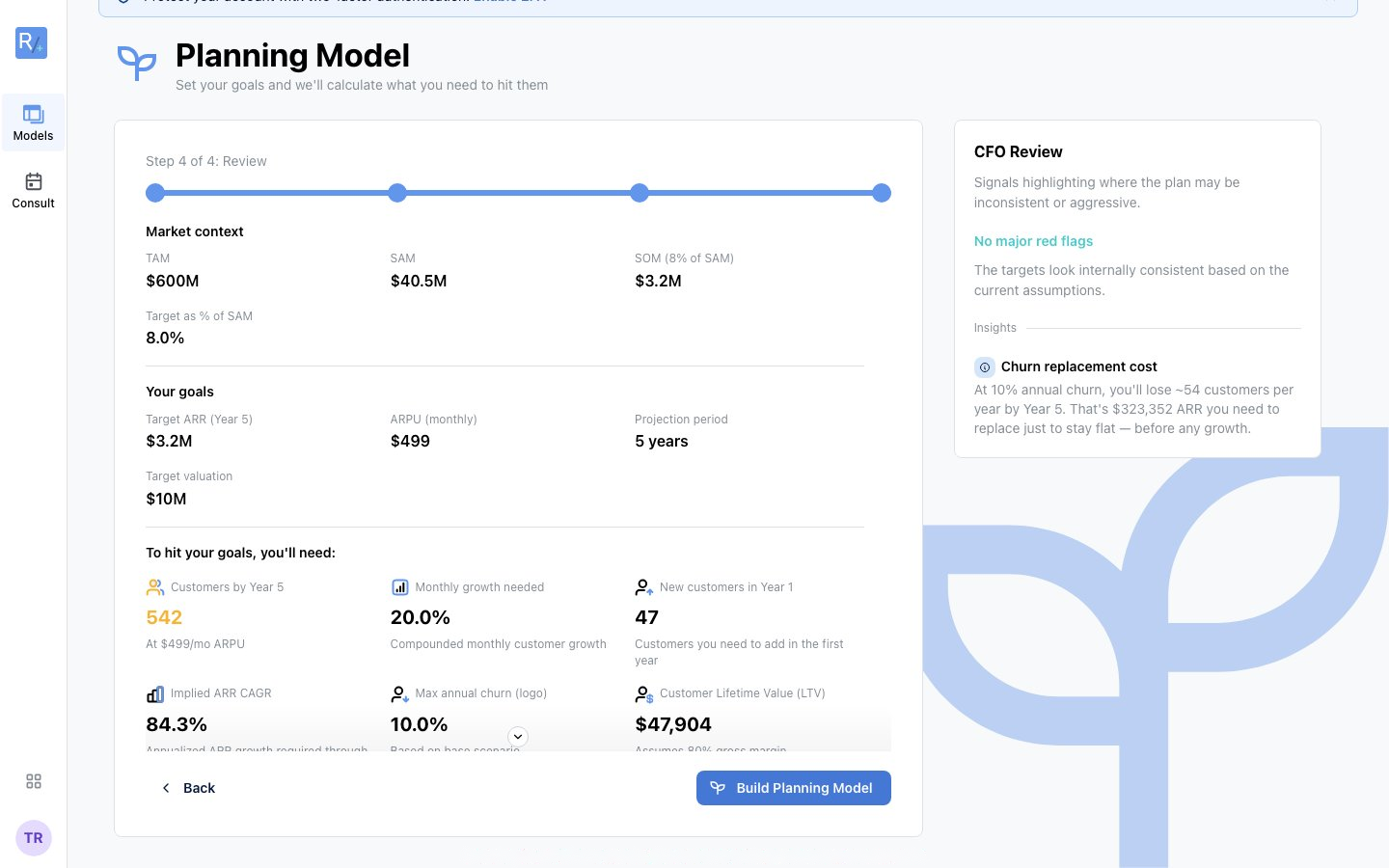 Market context, your goals, and the metrics they imply - with the CFO Review verdict on the right.
What You'll See
- Market context - TAM, SAM, SOM, and your target as a % of SAM
- Your goals - target revenue, pricing, projection period, next funding round
- "To hit your goals, you'll need:" - the derived metrics: customers or buyers needed, volume required, customer lifetime value, and your acquisition budget
- CFO Review - signals highlighting where the plan may be inconsistent or aggressive. Best case: "No major red flags - the targets look internally consistent based on the current assumptions."
Making Changes
Click Back to adjust any earlier step - your answers are never locked.
Building the Model
Click "Build Planning Model". Your model is saved to your account and generated in a few seconds.
The Planning Preview: "Your Planning Model is Ready"
A successful build lands on the planning preview page:
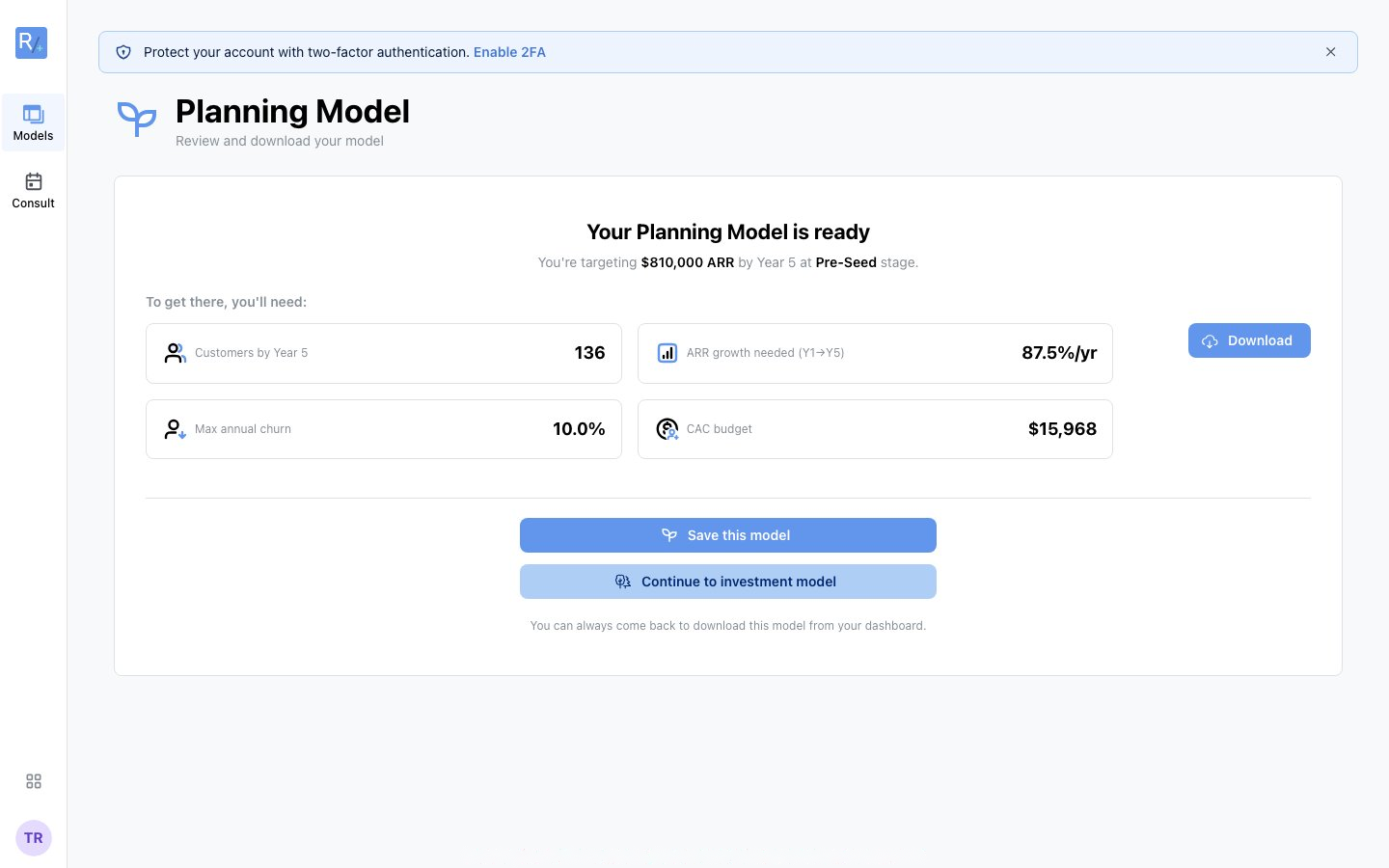 The completion moment: your headline target, the defensibility score, and what you'll need to get there.
What's On the Page
Your headline - "You're targeting $364,500 platform revenue by Year 5 at Seed stage."
The defensibility score - e.g. "38/100 - 5 things an investor will challenge", listing each open item ("Cash insolvency on the plan", "Monthly GMV Growth Rate Below Benchmark"...) with a "Make it defensible" button that takes you to the Review tab. On the free tier some checks show a padlock - they unlock with Build It Yourself.
Your raise teaser - the suggested raise sized from your model:
Metric cards - "To get there, you'll need:" buyers needed, GMV needed, buyer lifetime value, acquisition budget
CFO Note - a plain-English observation about the riskiest part of your plan
Your Three Options From Here
- Save this model - return to it anytime from the Models Overview
- Download - the one-page planning summary PDF (free); the Excel workbook requires Build It Yourself
- Continue to investment model - start the upgrade to the investor-grade model (Build It Yourself; see Upgrading to an Investment Model)
You can always come back to download this model from your dashboard.
After Submission: A Quick Tour
Opening your saved model shows the three-step planning flow - Model Details → Review → Model - plus the model tour on first visit (skip it anytime). From there:
- Adjust assumptions on Model Details
- Work the flagged items on Review
- Read your P&L on Model
All covered in Working with your model.
Congratulations - you've built your first model!