Completing the Questionnaire
The four-step planning wizard: business details, market sizing, funding goals, then review.
Overview
The free planning wizard is the heart of creating your first model. It's the same goal-oriented, four-step flow for every business type - you set targets, and the app derives what you'd need to hit them - with the questions tuned to your vertical's drivers.
Step 1: Business details → Step 2: Market sizing → Step 3: Funding goals → Step 4: Review
This guide walks through the wizard using a marketplace example - "Harbor & Vine", a marketplace connecting independent wineries and specialty food makers with restaurants and retailers. The SaaS, Hardware, Services, and Ecommerce wizards ask the same kinds of questions about their own drivers.
Step 1: Business Details
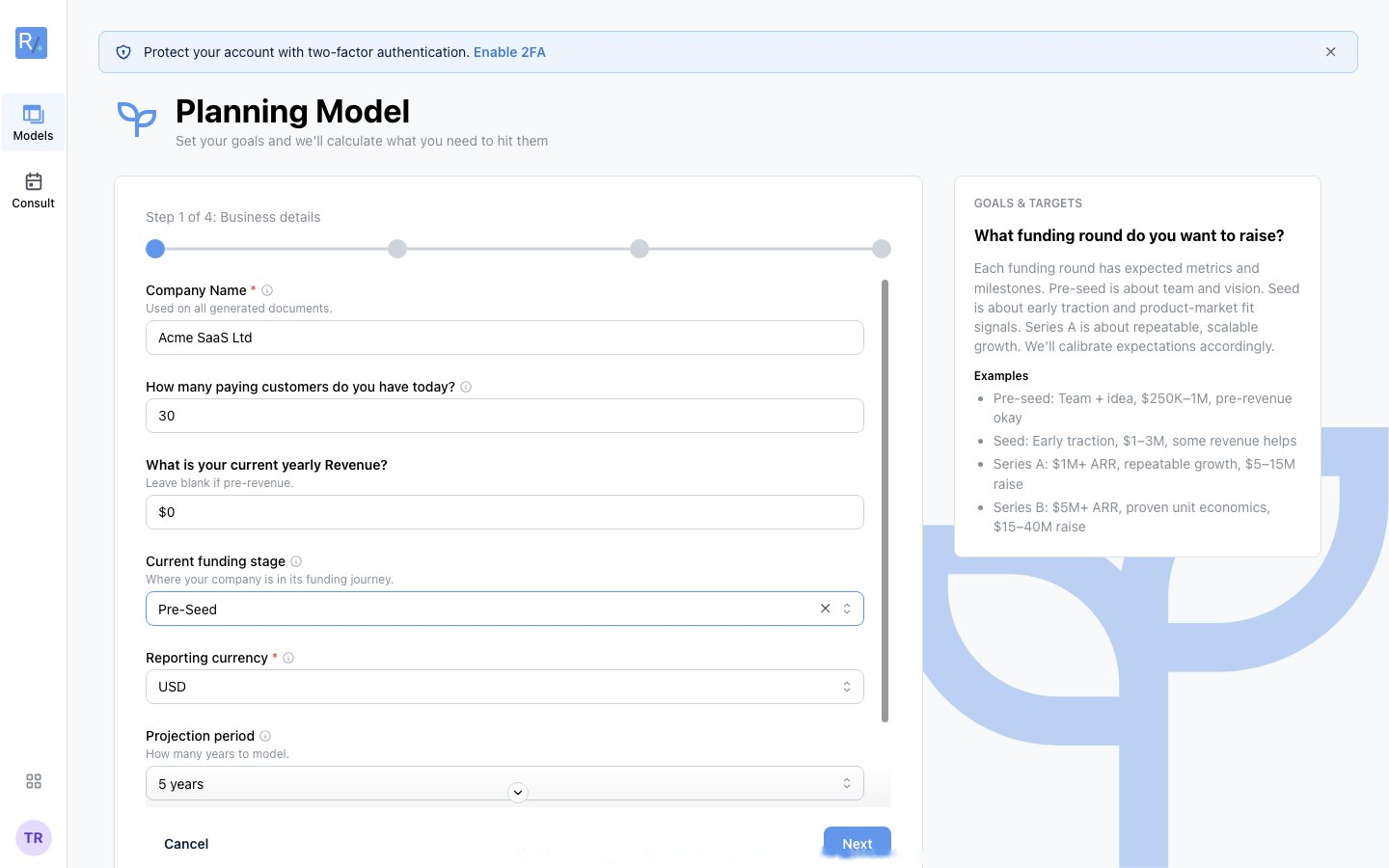 Company name, where you are today, and where you're heading. Note the info icons, the dimmed helper text under each question, and the "Suggested: 50" chip.
What you'll answer (marketplace):
- Company Name - used on all generated documents
- How many active buyers do you have today? - with a suggested starting point if you're unsure
- What is your current yearly GMV? - leave blank if pre-revenue
- Current funding stage - Pre-Seed, Seed, etc. This calibrates every benchmark that follows
- What are you building toward? - your ambition path, used to suggest a realistic revenue target
- Reporting currency
A SaaS founder answers the equivalents: paying customers today, current ARR, funding stage.
Step 2: Market Sizing
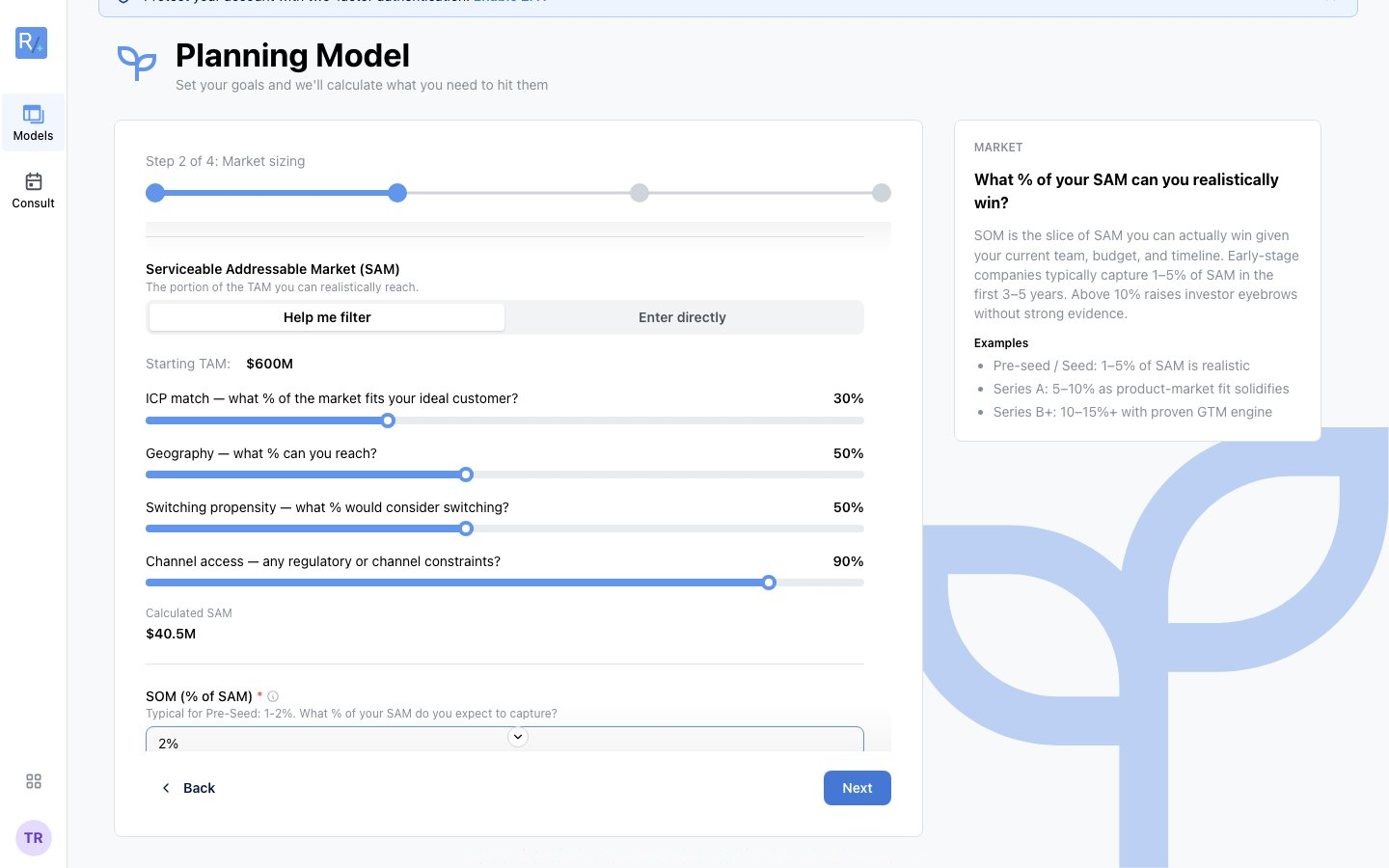 TAM from potential customers x contract value, SAM via "Help me filter" sliders, and SOM as a % of SAM.
- TAM - How many potential customers exist in your market, times average contract value (or enter it directly)
- SAM - The portion of TAM you can realistically reach. "Help me filter" derives it from four sliders (ICP match, geography, switching propensity, channel access), or use "Enter directly"
- SOM (% of SAM) - The share you expect to capture, with stage-appropriate guidance ("Typical for Seed: 10-20%") and one-click chips: Use conservative / Use moderate / Use aggressive
Step 3: Funding Goals
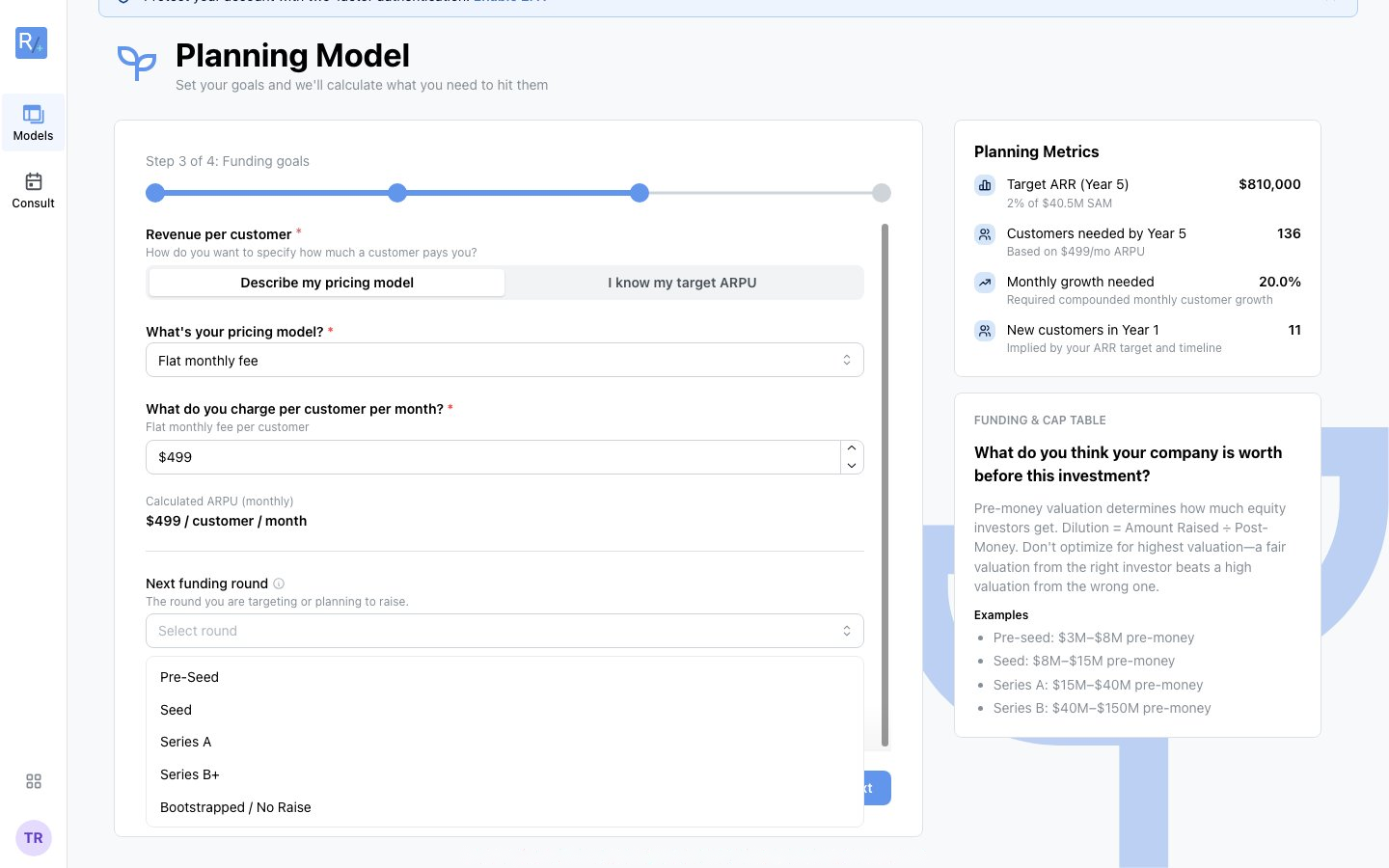 Pricing, unit economics, and your next round - with the live Planning Metrics panel showing what your goals imply.
- Average order value (marketplace) / ARPU and pricing model (SaaS - with an "I know my target ARPU" shortcut and optional additional revenue streams) - again with conservative/moderate/aggressive quick-set chips
- Take rate, Seller CAC, Monthly GMV growth (marketplace drivers - leave blank to accept stage defaults)
- Next funding round - the round you're targeting; this drives the suggested raise
- Target pre-money valuation (optional)
As you type, the Planning Metrics panel on the right recomputes live: target revenue, buyers/customers needed, monthly growth required, customer lifetime value, and your CAC budget with its target LTV:CAC ratio.
Step 4: Review
See Reviewing and Submitting - a summary of your market, goals, and derived metrics, a CFO Review of anything aggressive, and the Build Planning Model button.
Getting Help as You Go
Every question carries layered guidance - info popovers, helper text, typical ranges, and the right-hand guidance panel. See Understanding the Guidance Panel.
Validation and Saving
- Required fields are marked with a red asterisk; if you click Next with gaps, the wizard tells you what still needs attention
- Back returns to any earlier step without losing answers
- Your answers live in your browser while you work; the model is saved to your account when you click Build Planning Model. The wizards are short - finish in one sitting.
Tips for Success
- Use your best estimate and keep moving - everything is editable after the model is built
- Lean on the suggested chips when you're unsure; they're calibrated to your funding stage
- Compare against the typical ranges shown - if you're far outside a range, be ready to explain why
- Be consistent with units - monthly vs annual matters