Part 5: Insights & investor prep
The Sanity Report, Q&A Prep, Investor Memo, Rehearsal, and the model review assistant.
Understanding the Sanity Report
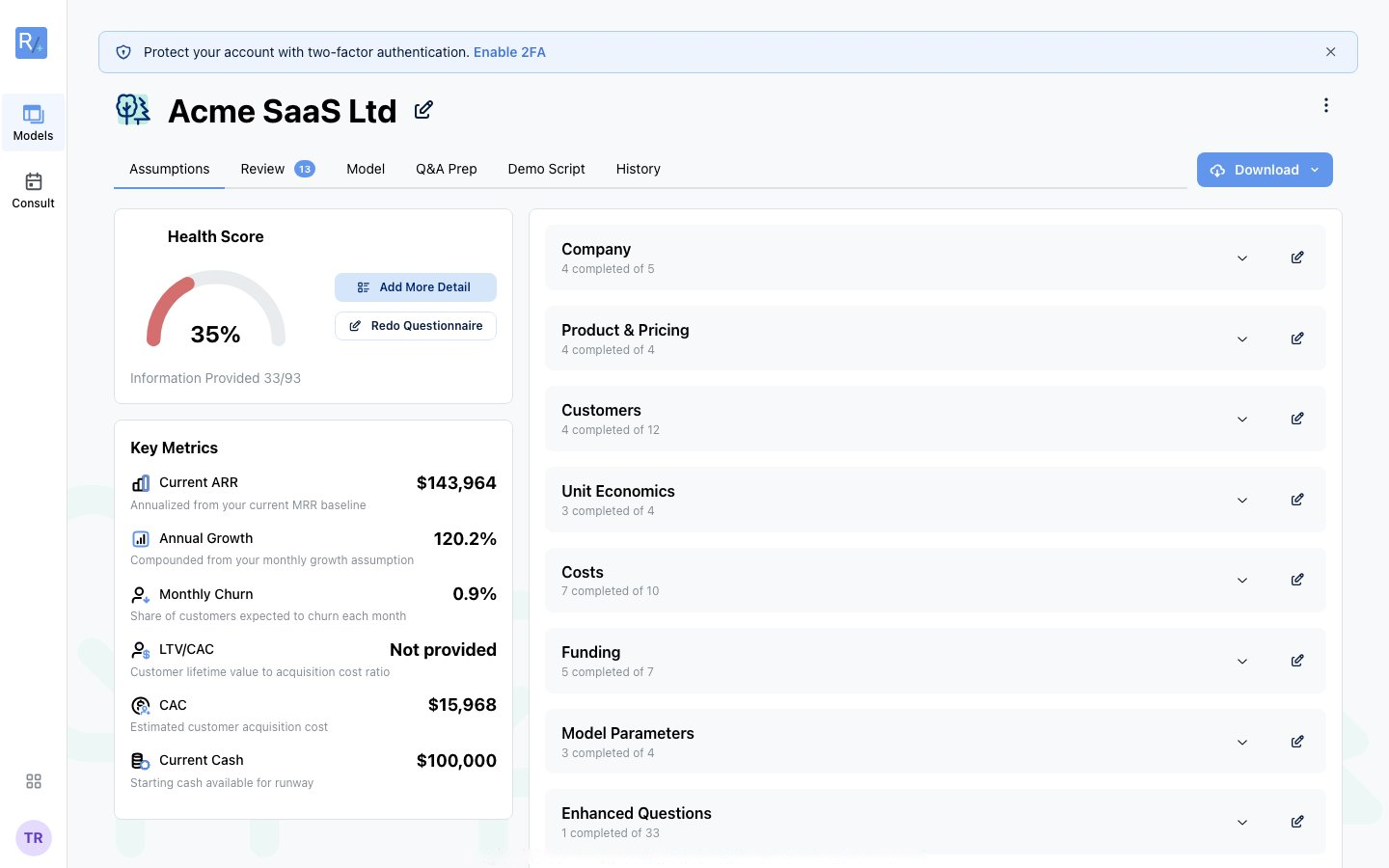 Figure 18: The health score on the Assumptions tab. Add More Detail to raise it, with key metrics alongside.
The Sanity Report on your model's Review tab is like having a seasoned CFO review your numbers. It runs families of checks: impossible-input rules, business-type-specific rules, benchmark ranges, stage-specific limits, and internal consistency (burn vs P&L, churn vs NRR, and similar). Results summarise as a Health Score from 0 to 100. Unresolved issues pull the score down; as you address them, it recovers. The report regenerates automatically every time your model changes.
Every finding falls into one of four severities:
| Severity | Meaning | What to do |
|---|---|---|
| Critical | Significant problems that could undermine your model: conflicting or clearly unrealistic assumptions. | Fix before sharing with anyone. |
| Warning | Values outside typical ranges that investors may question. | Verify it's intentional and be ready to defend it, or adjust. |
| Opportunity | Areas where a change could meaningfully strengthen your model. | Consider acting where relevant. |
| Info | Context and confirmations. | Read for awareness; no action needed. |
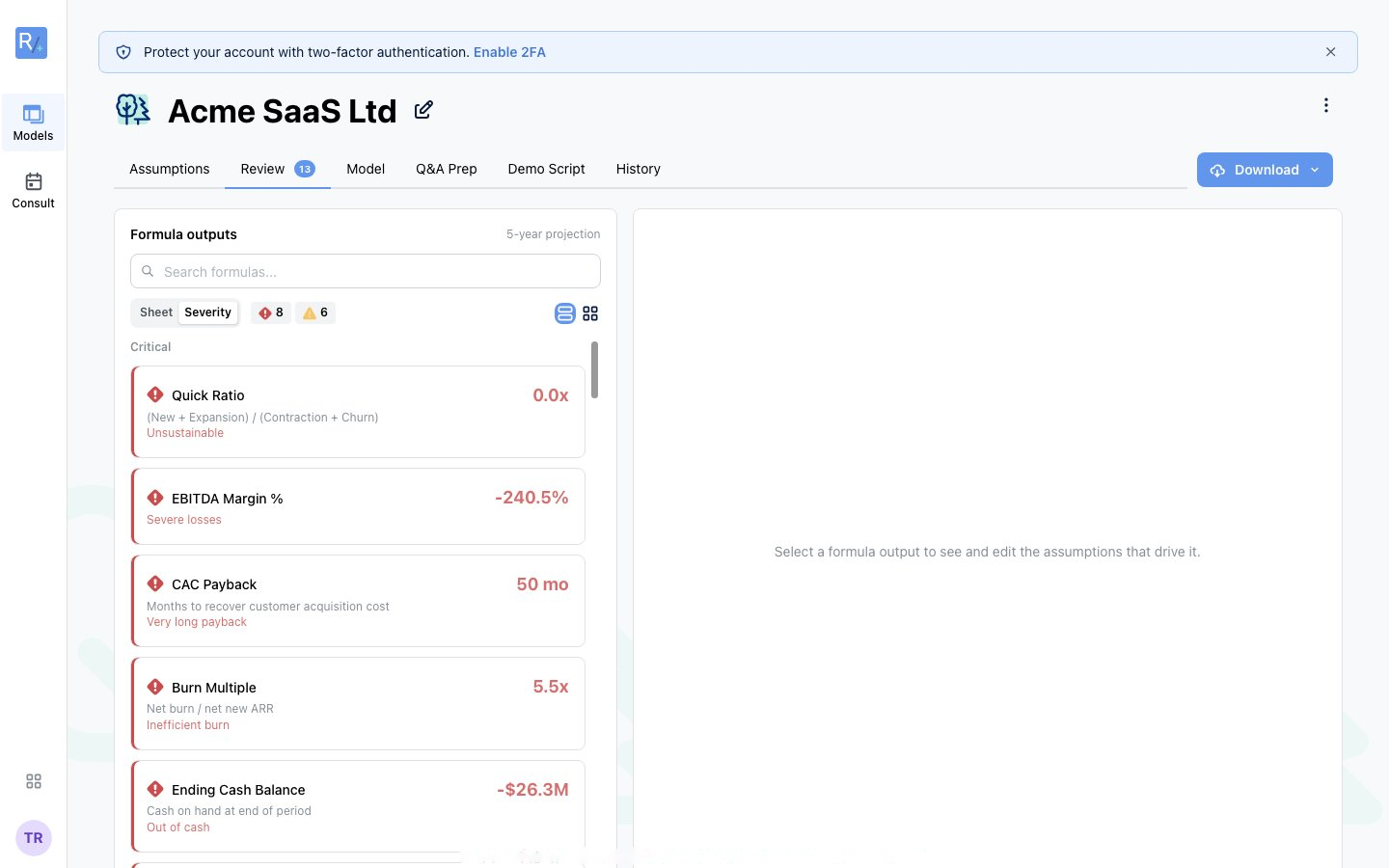 Figure 19: The Review tab groups flagged formula outputs by severity. Click one to see and edit the assumptions that drive it.
Working through issues
The Review tab is a workspace, not just a report. Open issues appear under Needs Attention, with severity filters to focus your effort. For each flagged check you can:
- Edit — jump straight to the related assumptions and fix them yourself. On Investment models, the formula explorer shows a plain-language explanation, healthy-range guidance, and the editable assumptions that drive the output.
- Auto-fix (when available) — let the review assistant propose recommended assumption changes. Recommendations apply as a batch so related assumptions stay consistent, and your model recalculates automatically.
- Mark as reviewed — if the value is intentional and defensible, reconcile the check without changing anything.
Changed your mind about an AI batch? Click Undo recommendations to revert it. Addressed issues move to a Resolved Timeline showing what was resolved, when, and how.
Tip: Before any investor meeting: address all Critical issues, have an explanation ready for every Warning, and get your Health Score into good shape. Investors will find these issues. Far better that you find them first.
Using Q&A Prep
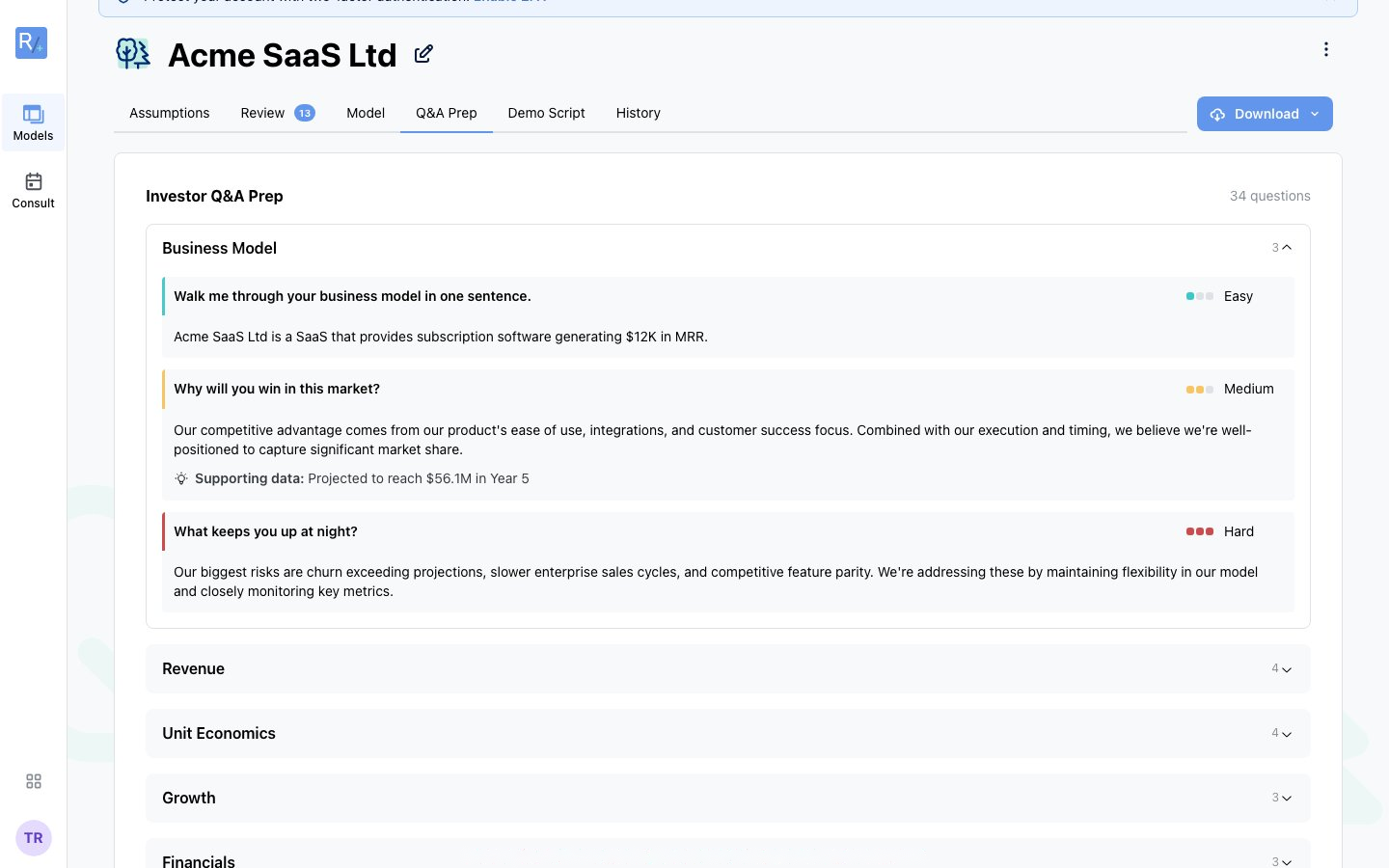 Figure 20: Q&A Prep: questions grouped by category with difficulty ratings and answers drawn from your actual numbers.
Q&A Prep (Investment Models, in-app tab) anticipates the questions investors are likely to ask about your specific model and suggests answers grounded in your actual assumptions, each with supporting data and pointers into the workbook. Categories span revenue, unit economics, cap table, funding, team, growth, market, exit, and model integrity.
How to use it well:
- Read every question. Note which make you uncomfortable; those are your weak spots.
- Check each suggested answer against your own thinking and your model's data.
- Customise the wording to your voice, and add stories or traction that resonate.
- Practise out loud, ideally with someone grilling you, and time yourself.
- If an answer feels weak, ask whether the underlying assumption is the real problem.
Tip: Your answers must match your model. Inconsistency is the fastest way to lose an investor's trust. After any model change, re-check Q&A Prep before the meeting.
Investor Memo
The Investor Memo tab (Investment Models) generates a structured narrative from your model across six sections: Thesis, Assumptions, Unit Economics, Use of Funds, Milestones, and Downside. Use it to turn numbers into a story you can talk through with investors, align your team, and prep for meetings without writing a memo from scratch.
Rehearsal
Earlier versions of this guide described a Demo Script tab. That has been replaced by Rehearsal: an interactive practice session that tests whether you can defend your own numbers.
Open the Rehearsal tab on an Investment model, start a session, and answer from memory. Questions are drawn from your model, its review findings, and benchmarks. Numeric answers are graded against the engine; fluency is scored 0–100, with Easy / Medium / Hard difficulty and a list of undefended assumptions pointing back into the model.
Tip: Q&A Prep shows you the questions and answers. Rehearsal makes you produce them. Do both before a partner meeting.
The model review assistant
When available on your account, open the review assistant from your model's header or from a flagged issue on the Review tab. It is context-aware: it knows your inputs, outputs, and Review findings, and keeps conversation history.
What it can do:
- Explain why an issue was flagged and what typical ranges look like.
- Answer financial questions in context ("What should my LTV:CAC be at my stage?").
- Propose concrete assumption changes. You preview each one, tweak the values, apply them as a batch, and undo the batch if it didn't help. The numbers themselves stay formula-driven throughout.
If the assistant isn't enabled for your account yet, use the Review tab's formula explorer to tune assumptions inline. For complex tax or legal questions, industry nuances, or high-stakes decisions, book a CPA consultation for accountable human expertise.